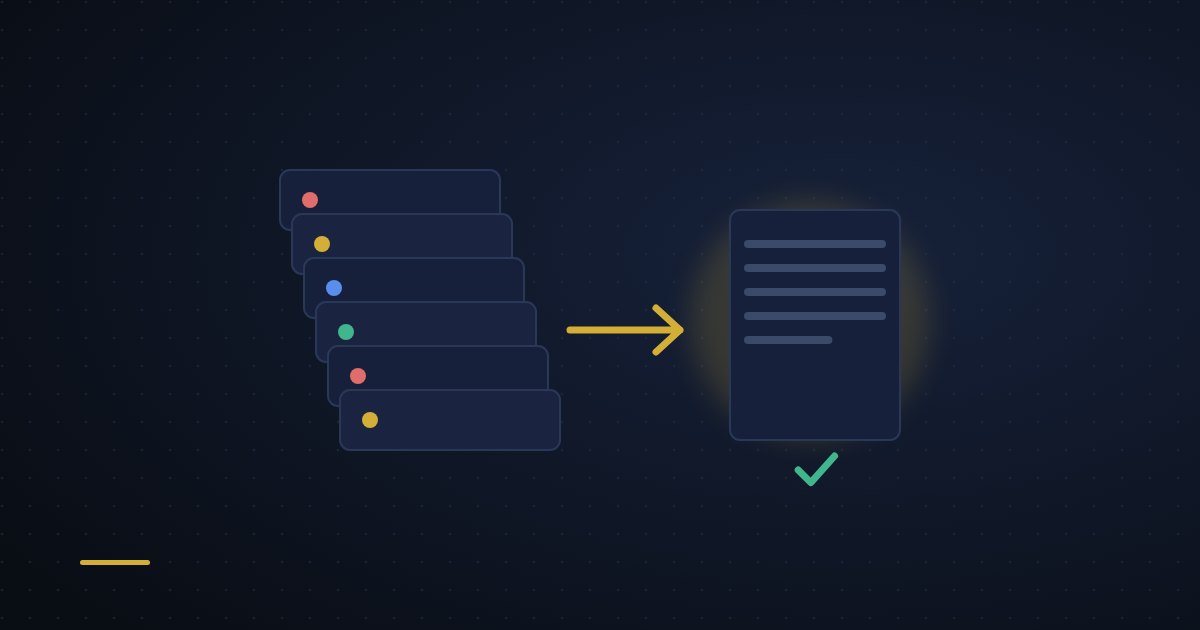
If your business website runs on WordPress, you may have started to wonder whether something quicker, safer and cheaper to look after would suit you better. A static site with an AI assistant built in is all three, and we can move your existing WordPress content and design across without disrupting the business.
WordPress runs more than 40% of the world's websites, and its popularity has a price: constant updates, a steady stream of security holes in plugins, and hosting bills that creep up. Moving to a static site keeps the content and the features you need and drops most of that upkeep. This post explains what a static AI-powered site is, how the move works and who it suits.
What a static AI-powered website is
A static website sends ready-made HTML, CSS and JavaScript files straight to the visitor's browser. There's no database to query and no code running on the server for each visit. Add an AI assistant such as DaeOne and the site can also handle enquiries, help with content updates, suggest SEO improvements and answer visitors' questions, all without slowing the pages down.
WordPress builds each page on demand by running PHP and querying a database. A static site serves the same finished page to everyone, straight away. That removes whole categories of security risk and means the hosting only has to store and send files, which is cheaper and copes easily with busy days.
Why people move away from WordPress
For many small businesses, WordPress started out as the convenient choice and gradually became a burden. These are the complaints we hear most:
- The updates never stop. WordPress itself, the theme and every plugin need regular attention, and a missed update leaves a known hole open.
- It's a popular target. A public login page, lots of third-party plugins and a database together give attackers plenty to aim at.
- It can be slow. Even with caching, WordPress on shared hosting often struggles to load quickly, especially as traffic grows.
- Hosting costs creep up. More plugins and more visitors mean bigger plans, and the monthly bill can double or triple over a few years.
- Fixing it needs a developer. A broken update or two plugins that don't get on can turn a routine job into a stressful one.
These aren't just technical irritations. They affect how easily you can update the site, serve customers and trust that it will be there when someone looks.

Speed comparison: a typical WordPress site on shared hosting takes two to three seconds to load. The same content as a static site on the same hosting often loads in under half a second, which both Google and your visitors notice.
How the migration works
We run each migration as a small, carefully planned project. The aims are to keep all your content, protect your search rankings and leave you with a site that is easier to own.
- Content inventory. We export every page, post, image and piece of metadata from WordPress and decide where each one will live on the new site.
- Design rebuild. Your current design is rebuilt in HTML and CSS, keeping your branding while improving accessibility and speed.
- AI set-up. We install and configure the DaeOne assistant and connect it to your contact forms, enquiries and content updates.
- Protecting your SEO. We keep your existing web addresses wherever we can, set up permanent (301) redirects for any that change, and carry over page titles, descriptions and alt text.
- Testing and switch-over. The new site is tested on a staging address and then moved onto your domain with as little disruption as possible. You get a walkthrough of the DaeOne dashboard and a choice of support options.
Most small business sites (five to twenty pages) are done in three to five working days. Larger sites with custom features take longer, and we give you a timeline after the first audit.
What you get afterwards
- Speed. Pre-built pages load almost immediately, which helps Core Web Vitals and keeps visitors on the page.
- Security. With no database, no server-side code and no login page on show, most of the common ways WordPress sites get attacked simply don't apply.
- Lower hosting costs. Static sites need very little from a server, so you can often move to a cheaper plan or use the hosting included with our AI packages.
- Predictable upkeep. No plugins or core software to patch means the site stays stable with little ongoing work.
- Help from the assistant. DaeOne handles routine jobs such as sorting enquiries, flagging content that's out of date and keeping an eye on SEO.
Is your WordPress site a good candidate?
Most sites that exist to inform people and bring in enquiries move across well. That covers service businesses, consultancies, cafés, salons, trades and similar.
Sites that depend on live user data, complicated booking systems or a large online shop may need a hybrid set-up or a different platform. Even WooCommerce shops can sometimes move to a static front end with the shop running behind it, and we can talk that through when planning.
The easiest way to find out is a free migration audit. We look at your current WordPress set-up, tell you what can move to static and give you a fixed price for the whole job.
A note on SEO: a careful migration should keep your rankings and often improves them, because the new site is faster and cleaner. Redirects, tidy HTML and quick loading are what make the difference, and we check them all before switching over.
What staying on WordPress costs
Staying put isn't free either. The costs are just spread out and easy to miss:
- security services such as malware scanning, firewalls and the occasional audit
- performance work: caching plugins, a CDN and developer time chasing slow pages
- update management, in your time or a developer's, every month
- hosting upgrades as traffic and plugins grow, from shared hosting to a VPS or managed WordPress
- the risk of an update breaking something during business hours
These are hard to add up precisely, but plenty of businesses spend £50 to £150 a month keeping WordPress healthy, and most of that goes away after moving to a static site.
Next steps
If you'd like a quicker, safer and cheaper website, ask us for a migration audit. We'll look at your WordPress site, explain what's possible and give you a clear plan and price, with no obligation.
Want to see what your WordPress site could look like as a static AI-powered site?
We offer a free migration audit that includes a content inventory, design assessment, SEO impact review, and a fixed-price quote for the full migration to a static AI-powered site with DaeOne integration.
Get Your Free Migration AuditOr contact us directly to discuss your specific needs.